
NV360 People
Book a demo

Built on Frappe HR and ERPNext

One app for your whole workforce.

NV360 People puts attendance, leave, payslips, expenses and approvals in every employee’s pocket. It is built native on Frappe HR and ERPNext, so your HRMS stays the single source of truth.

  • No fork of your instance
  • No second database
  • Your bench or ours
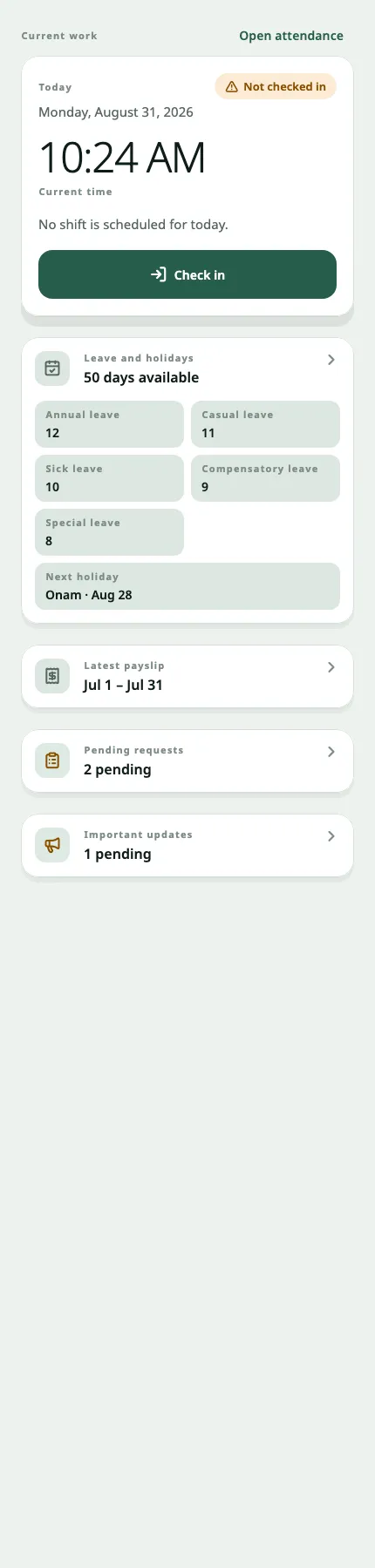
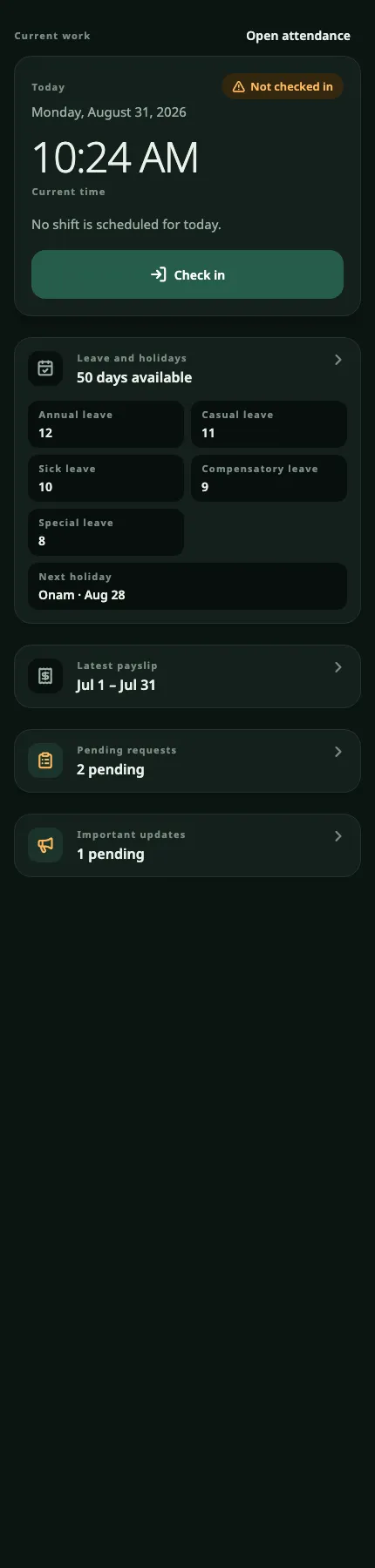
The NV360 People home screen: today's check-in with the current time, leave balances across five leave types, and the latest payslip.

Runs on

  • ERPNext logo ERPNext Finance and operations core
  • Frappe HR logo Frappe HR HR and payroll
  • Frappe logo Frappe The framework underneath

Built with

  • Flutter logo Flutter One codebase, both platforms
  • Android logo Android Dev, staging and production builds
  • iOS Public stores or your own channel
  • Firebase logo Firebase Push delivery over FCM

Frappe, ERPNext and Frappe HR are trademarks of Frappe Technologies Pvt. Ltd. Android, Flutter and Firebase are trademarks of Google LLC; the Android robot is reproduced from work shared by Google and used under the Creative Commons 3.0 Attribution Licence. iOS is a trademark of Apple Inc. NV360 is an independent implementer and is not affiliated with, or endorsed by, any of them.

Two ways in

Where are you starting from?

Already running Frappe HR

Install two apps. Your data never moves.

NV360 People and NV360 Notifications install onto the bench you already run. No migration, no second database, no fork of your instance. Your employees are on mobile in weeks, reading the same records your HR team works in today.

See the architecture
Still choosing an HRMS

An open-source core, with the app included.

Frappe HR and ERPNext give you a full HR and finance core with no per-seat licence. NV360 adds the employee app most vendors charge for separately, then configures, migrates and supports the whole thing from Dubai and Chennai.

Talk to us

The gap

Your HRMS is good. Most of your people never see it.

Frappe HR runs on a desk. Most of a workforce does not sit at one.

So leave requests arrive on WhatsApp, payslips go out as email attachments, and managers approve from their inbox because opening the Desk is one login too many.

The records are right. The reach is missing.

For employees

The whole working day, on one screen.

Six things an employee actually needs from HR, and nothing they do not.

Check in

Attendance and shifts

  • Check in and out, with today’s shift and the current state on one screen
  • An attendance calendar and the full history behind it
  • Request a regularisation when a punch is missed
  • Check-ins queue when there is no signal
Apply

Leave and holidays

  • Balances across every leave type the policy grants
  • Apply with dates, a reason and an attachment
  • Track an application, and cancel one that is still eligible
  • The holiday list for this employee’s own calendar
Open

Payroll

  • Every submitted payslip, newest first
  • Open the PDF without leaving the app
  • Nothing about salary is written to the device
Correct

Profile

  • Employment details, emergency contacts and a photo
  • Raise a change request against the fields policy allows
  • Track that request through to its decision
Claim

Expenses

  • Multi-line claims, with a receipt on each line
  • Start a draft now, finish it later
  • Request an advance and allocate it against a claim
  • Accounting fields derive on the server; the phone shows none of them
Notified

Notifications

  • An inbox that opens the record it refers to
  • Preferences per category, set by the employee
  • Push to the devices that employee registered
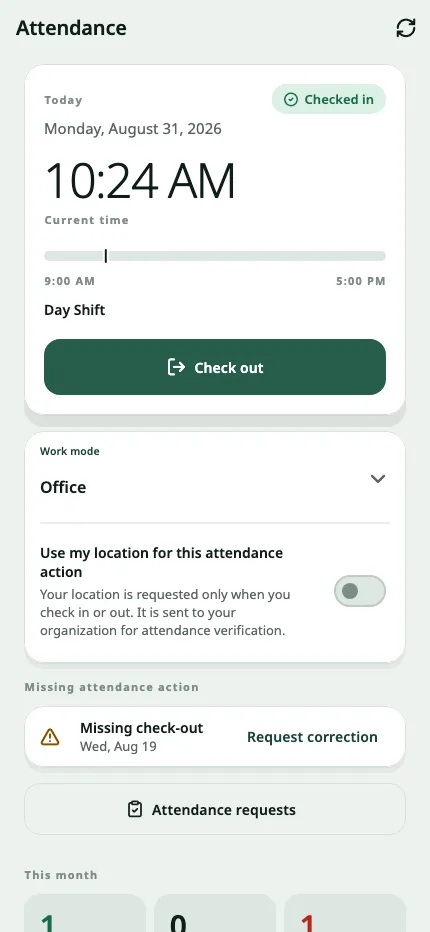
The attendance screen: today’s state, the shift window, work mode and the month so far.
Attendance
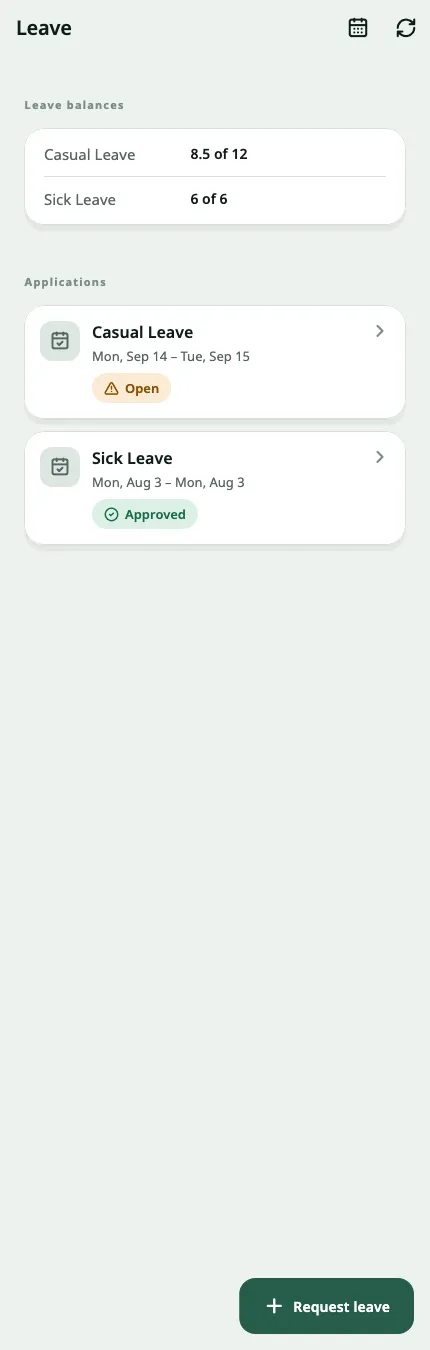
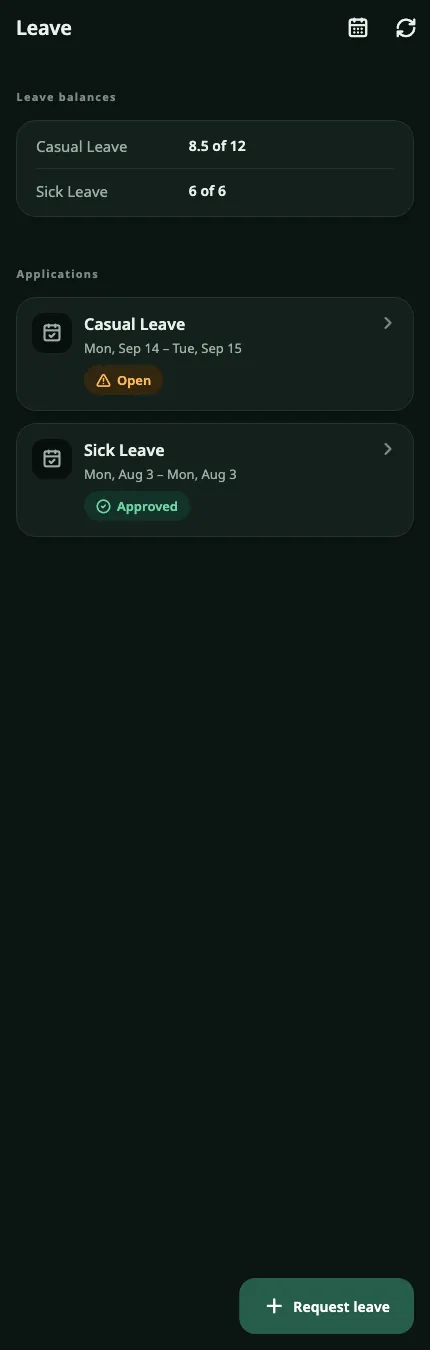
The leave screen: balances by leave type and the employee’s own applications with their status.
Leave
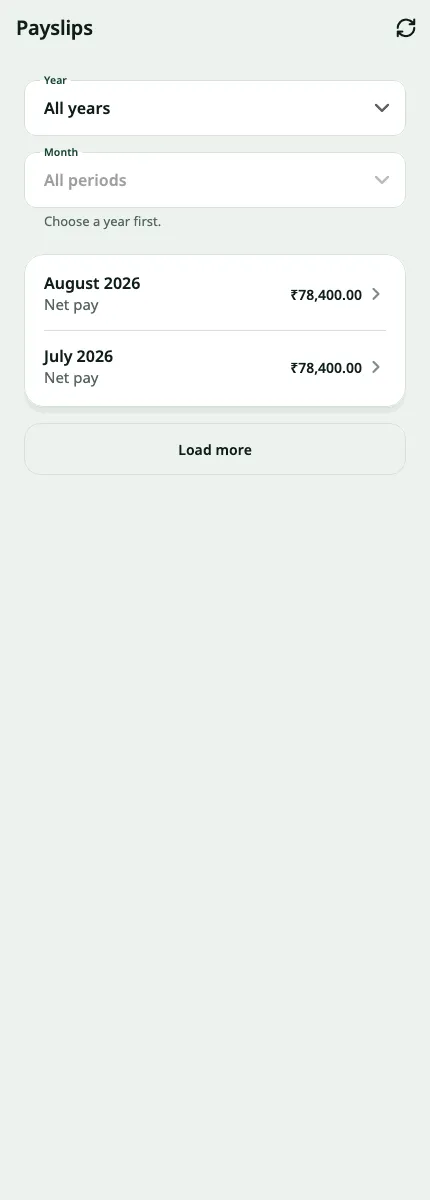
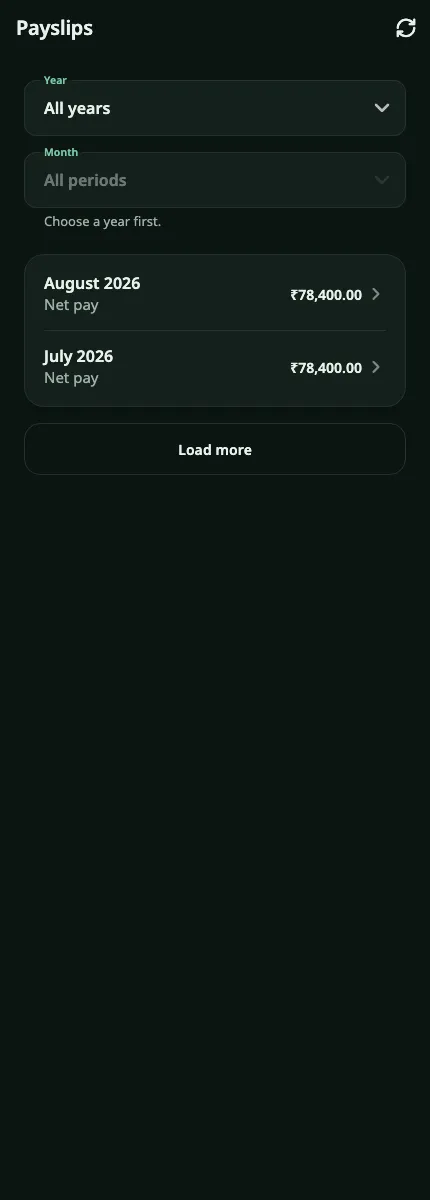
The payroll screen: submitted payslips listed newest first, each opening its own PDF.
Payroll
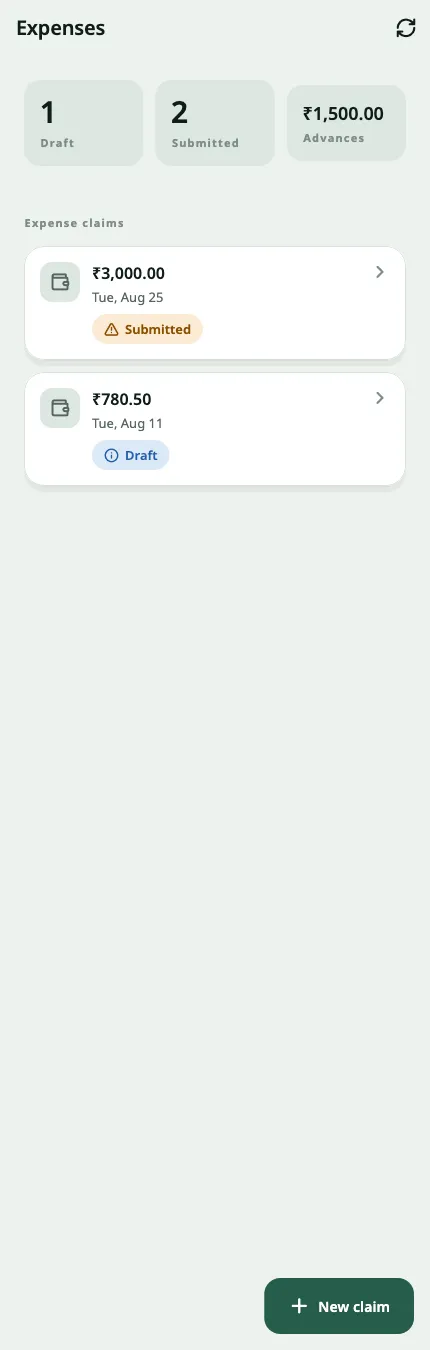
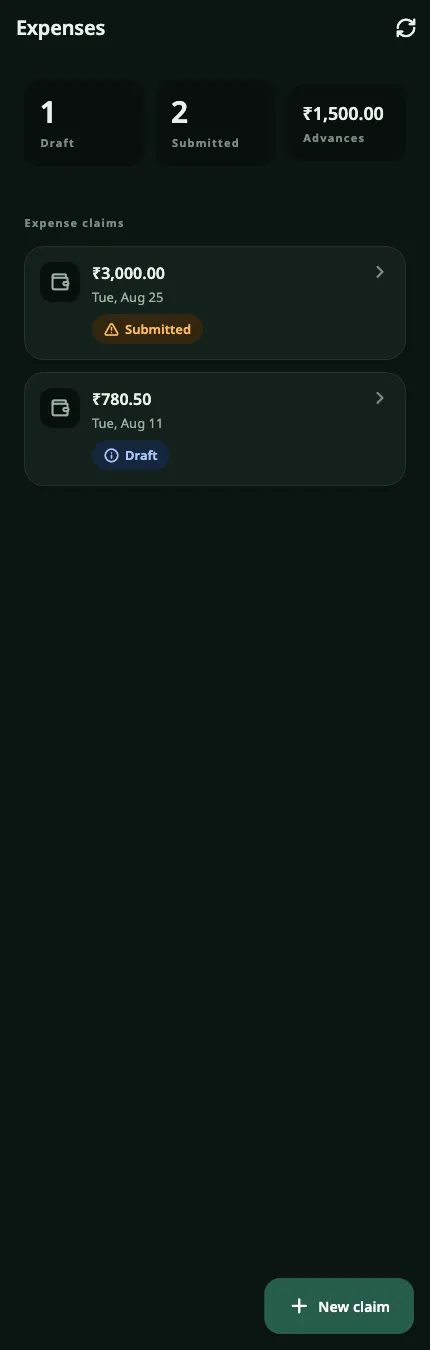
The expenses screen: claims with their status and the unclaimed advance balance.
Expenses

Offline

No signal on site? Check in anyway.

Half the reason an employee app fails is that it needs a network the warehouse floor does not have. NV360 People is explicit about what works without one, and about what it refuses to keep on the device.

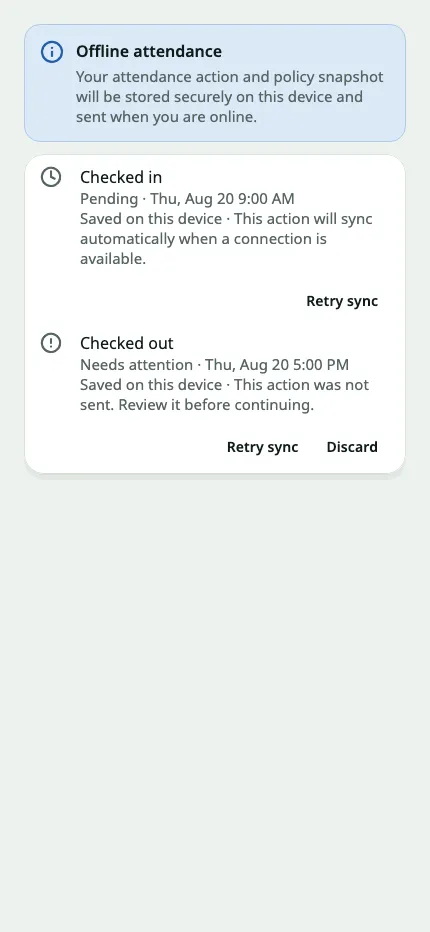
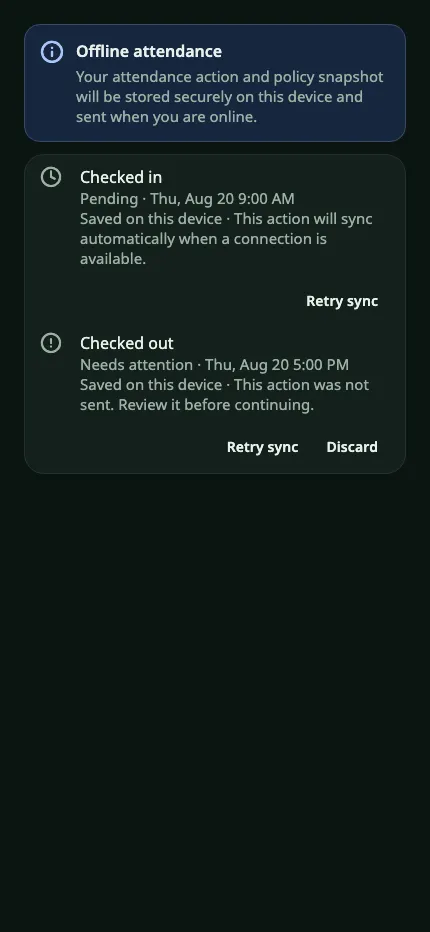
The NV360 People offline attendance screen: a check-in saved on the device and pending sync, and a check-out that needs attention, each with a retry action.
09:12:04 check_in queued on device
09:12:04 coordinates held, not cached
09:12:04 network unavailable

The check-in is accepted by the device, and says so. It does not claim to be recorded.

Reads work offline

Screens render from encrypted on-device snapshots that show their age and say plainly when they are stale.

Check-ins queue

Attendance actions are held on the device and replayed when the network returns.

Some things need a network

Leave changes, profile changes and manager decisions require connectivity. The app says so rather than pretending otherwise.

For managers

Approve from the same phone.

A manager sees their team and no one else. Scope is resolved on the server from the reporting hierarchy, so a manager cannot widen it by asking for somebody else’s record.

Approvals inbox

Leave and expense decisions in one queue, with the balance, the dates and the attachment already on screen.

Team attendance

Who is in, who is late and who is on leave, for any date range inside the manager’s own hierarchy.

Team leave

Upcoming and overlapping leave across the team, visible before a decision is made rather than after.

Manager home

The same home screen every employee gets, with the team’s pending work added above the manager’s own.

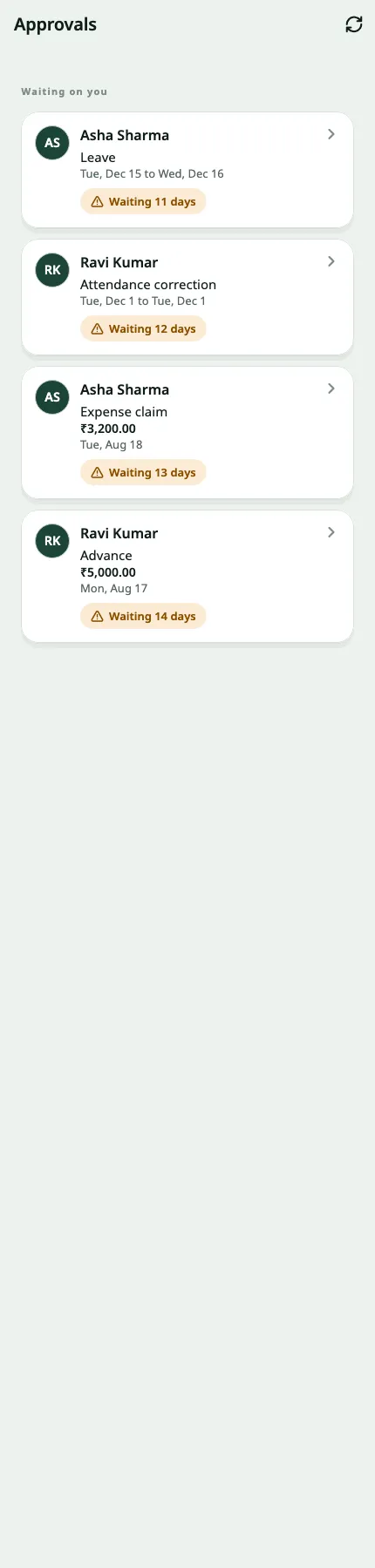
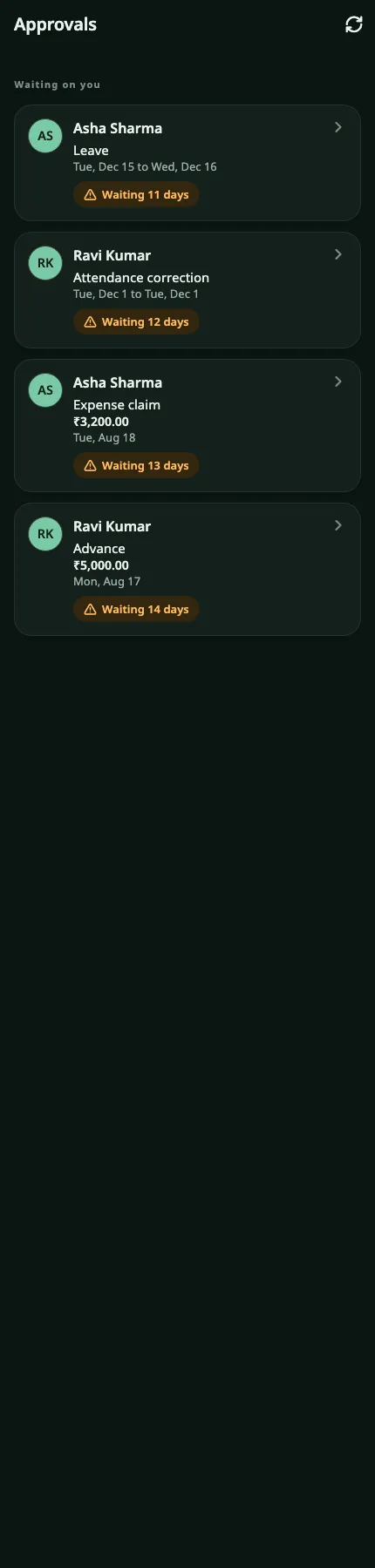
The approvals inbox: pending leave and expense decisions, each showing who asked and for what.
Approvals inbox
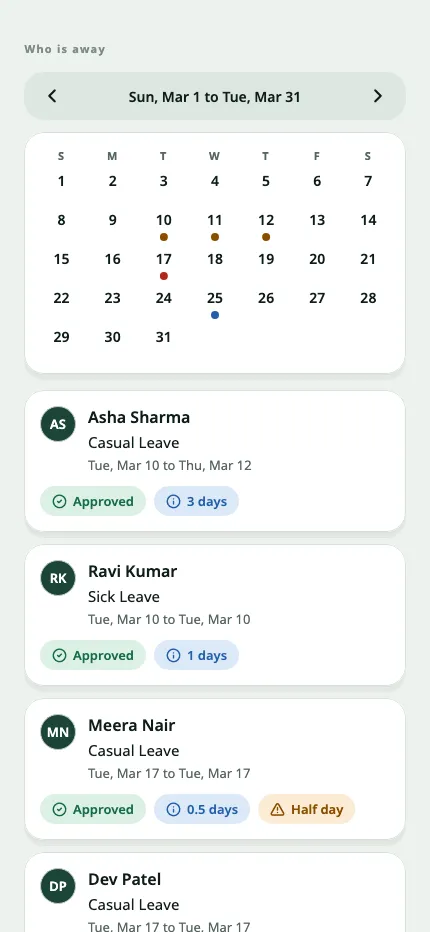
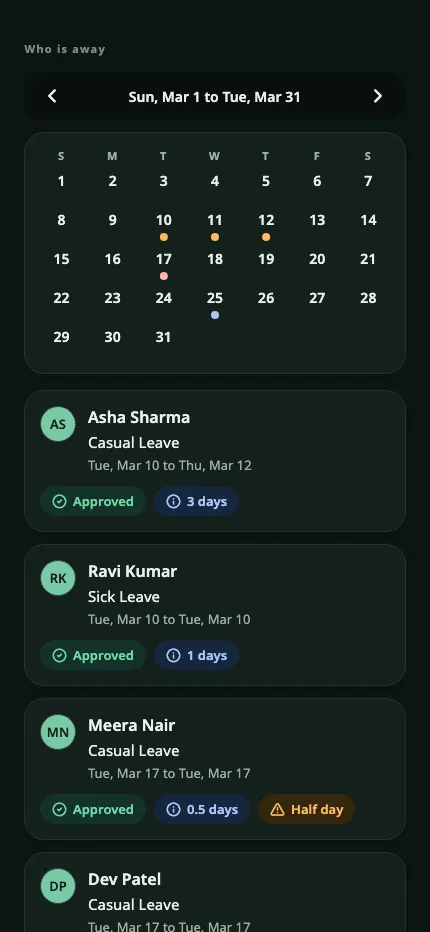
The team calendar: who is present, late or away across the manager’s own reports.
Team calendar
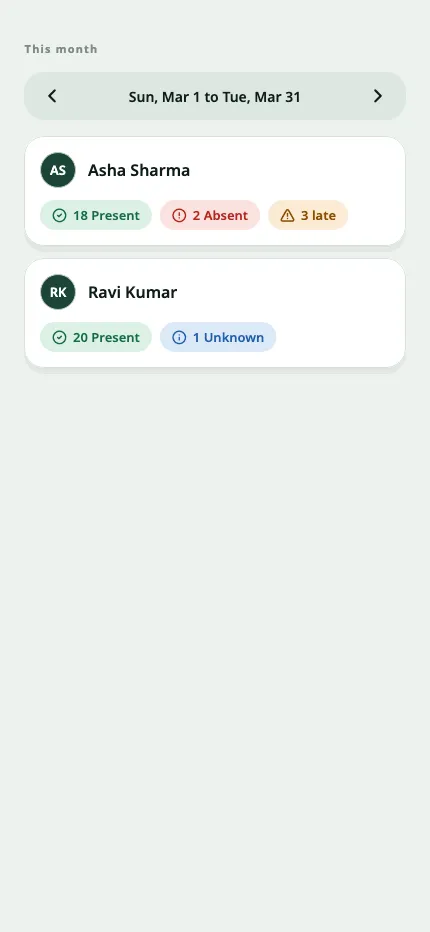
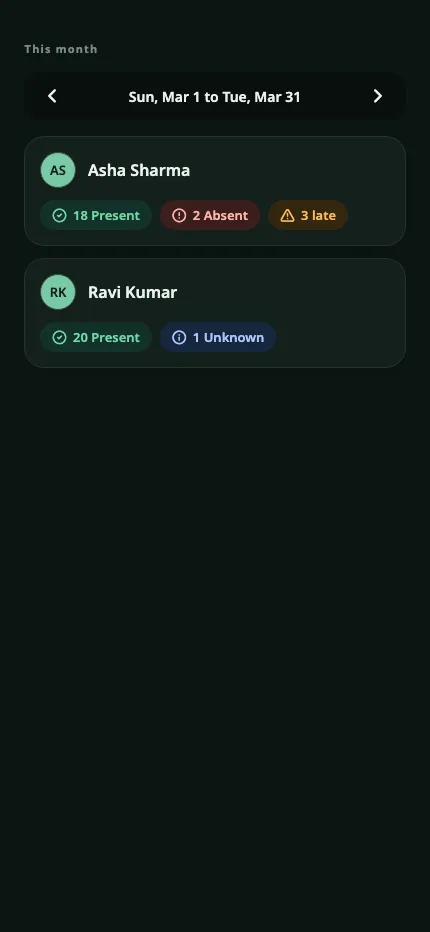
The monthly team view: attendance totals across a date range for the reporting hierarchy.
Team month

Decisions reuse the Frappe HR document lifecycle. NV360 adds scope and audit. It never bypasses HRMS permissions.

Architecture

Native to Frappe. Not a copy of it.

The reason this is worth reading: most HR apps sit beside your ERP and drift out of sync with it. This one does not sit beside anything.

NV360 People and Field Sales call the employee-scoped NV360 API, which reads and writes Frappe HR, ERPNext and Frappe directly. Nothing is forked and no data is copied.

No fork

NV360 does not vendor Frappe, ERPNext or Frappe HR. There is no forked instance to maintain, and your upgrade path stays the one Frappe publishes.

No second database

The apps read and write your HRMS and ERPNext records through the Frappe ORM and Frappe permissions. NV360 keeps no separate copy of your HR data.

Three apps, installed as you like

People, Field Sales and Notifications are independent of each other. Install one or all three. Notifications needs only Frappe; People and Field Sales need ERPNext and Frappe HR.

Your bench, or ours

Deploy on your own infrastructure, or have NV360 host and operate it. The product is the same either way.

Security and governance

The server decides. Every time.

Most of what follows is ordinary engineering. It is listed because in an app that carries a whole workforce’s HR records, ordinary engineering is the difference between a product and an incident.

identity
The backend derives the employee from the authenticated session. A mobile request cannot select another employee.
capabilities
Features are advertised per action. The server rechecks policy and ownership on every mutation, whatever the client happens to be showing.
manager scope
Resolved on the server from the reporting hierarchy. A client-supplied employee id never widens access.
pagination
List cursors are signed and bound to user, endpoint, filters and ordering. They expire in fifteen minutes and fail closed when tampered with.
idempotency
Every create carries a client request id. A replay is refused rather than duplicated.
approvals
Reuse the Frappe HR document lifecycle. NV360 adds scope and audit, never a bypass.
devices
The notification service never returns a raw device token or a provider response body.

Built for where you operate

Three languages, two directions, every text size.

English, Hindi and Arabic

Arabic is a real right-to-left layout, not a mirrored afterthought. Every screen is tested in all three languages.

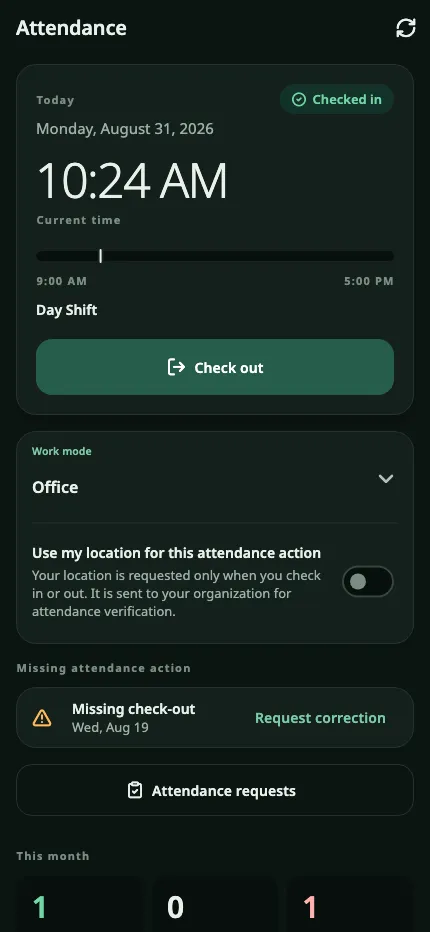
Light, dark and system

With comfortable and compact density, chosen by the person holding the phone rather than fixed by us.

Tested at 200% text

With screen-reader semantics on every screen. A workforce app gets used by the whole workforce.

Android and iOS

Distributed through the public stores or your own internal channel, as separate development, staging and production builds.

The attendance screen in English, left to right, in the light theme.
English · light
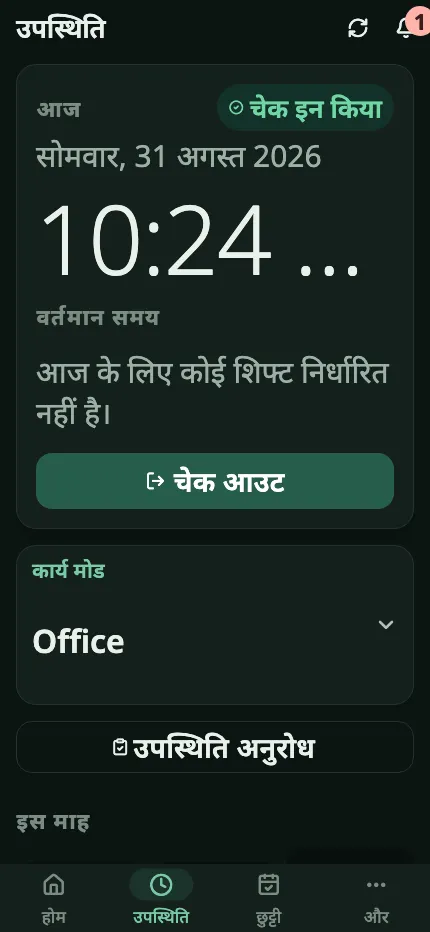
The same attendance screen in Hindi, in the dark theme, with Devanagari text.
हिन्दी · dark
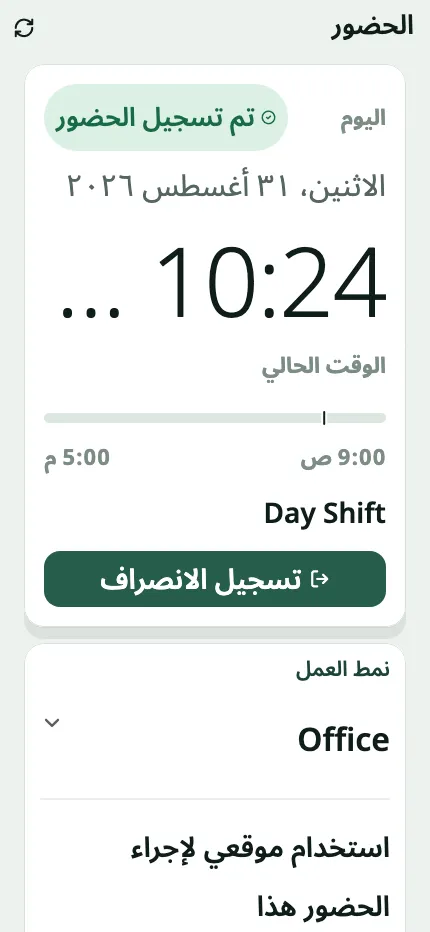
The same attendance screen in Arabic, laid out right to left with Arabic-Indic numerals, at 200 percent text size.
العربية · RTL at 200%

Companion module

NV360 Field Sales

The same platform, for the team that spends its day outside. Link a salesperson to a territory, plan a dated route of customer stops, and record a GPS check-in and check-out at each one. Managers get a daily visit summary by status, employee and territory.

One visit row and two GPS points per visit. This is not continuous location tracking, and we do not sell it as any.

Ask about Field Sales

How we deliver

Six steps, and we have done them before.

NV360 implements ERPNext and Frappe HR as its day job. The app is what we add on top.

  1. 01

    Discovery

    We map your current HR processes, policies, shift patterns and org structure. Usually about a week.

  2. 02

    Configure

    Frappe HR is set up around those policies: shifts, leave types, salary structures and approval chains.

  3. 03

    Deploy

    People, and optionally Field Sales and Notifications, installed onto your bench.

  4. 04

    Migrate

    Employee master data, leave balances and history moved across, then reconciled against your existing records.

  5. 05

    Roll out

    App distribution, manager training and employee communications. This is the step most projects underestimate.

  6. 06

    Support

    An SLA-backed team across Dubai and Chennai, working in your timezone.

Questions

The ones you were going to ask anyway.

Do we need ERPNext as well as Frappe HR?

People and Field Sales need both. Notifications needs only Frappe. If you already run ERPNext with Frappe HR installed, you have everything the product depends on.

Can we self-host?

Yes. Deploy on your own bench and infrastructure, or have NV360 host and operate it for you. The product is identical either way.

We have customisations on our Frappe HR. Will this break them?

It should not. NV360 installs as separate Frappe apps that use documented APIs, the Frappe ORM and Frappe permissions. Nothing is forked and no core file is patched. We still review your customisations during discovery, because that is where surprises live.

Can one employee see another employee’s data?

No. The backend derives the employee from the authenticated session, so a request cannot name somebody else. A manager sees their reporting hierarchy, and that scope is resolved on the server too.

Does it work offline?

Reads do, from encrypted on-device snapshots that show their age. Check-ins queue and replay when the network returns. Leave changes, profile changes and approvals need connectivity, and the app tells the person so instead of failing quietly.

Is NV360 People open source?

No. Frappe, ERPNext and Frappe HR are open source and stay that way underneath your deployment. NV360 People, Field Sales and Notifications are NV360 products, licensed commercially. Source access is a commercial conversation, not a download.

What does it cost?

It depends on headcount, which modules you want and whether you host it yourself. Tell us those three things and we will send a written quote.

Book a demo

See it against your own policies.

A working session, not a slideshow. Tell us roughly what you run today and we will set the demo up around it.

Prefer not to use a form? Email info@nv360.ae or call +971 50 701 5309.

Built and supported by NV360.

NV360 is a software company in Dubai and Chennai. We implement ERPNext and Frappe HR for our customers, and build the products that sit on top of them.

More about NV360